The first move is the provider's online patient portal, because federal guidance treats it as the fastest path to records. If the portal doesn't have what you need, a provider generally has 30 days to respond to your access request, with only one 30-day extension allowed after written notice.
After a crash, that sounds simple on paper and messy in real life. The bills start arriving, the adjuster calls, your pain isn't settling down, and now you need ER notes, imaging, and follow-up records fast enough to keep treatment moving and protect a claim. That's where people get stuck, not on the law, but on the practical steps that come after the request goes out.
Your First Move When You Need Medical Records
A client comes in after a car wreck and says the same thing in different words, “I need my records, but I don't know where to start.” The first move is usually the patient portal, because that is often the quickest way to see what is already available, and HHS says patients can ask for records in the format they prefer if the provider can readily produce them electronically (HHS right of access guidance).

Start with the place most likely to already hold the file
If you were treated at a hospital, urgent care, or primary care clinic, log in and look for records, documents, visit summaries, lab results, imaging, and billing statements. Many systems route access through portals, email, fax, mail, or in-person forms, so the portal can save a lot of back-and-forth when it contains what you need.
If the portal is empty or incomplete, do not assume the records do not exist. Call the office and ask which department handles record releases, then use the provider's preferred request channel. For a separate step on crash documentation, many people also need an incident report request early in the process, especially when the medical file and the event report need to line up.
Practical rule: ask for the record holder, not the “system.” In real cases, the right contact is often the health system's records department, not the front desk.
What to note before you submit anything
Write down the provider's exact name, the date range you need, and whether you want records for your own care, for an attorney, or for another recipient you designate. That detail matters because access requests turn on identity verification, signed authorization, and choosing the correct record holder, not just asking for “my chart” (HHS right of access guidance).
Keep the first request simple and traceable. If the portal can export a visit summary or lab set immediately, take it. If it cannot, move to a formal request before the claim file starts to stall, and keep your protected health information workflows aligned so the records reach the right place without another round of corrections.
HIPAA Authorization Requirements and How to Fill Them Out
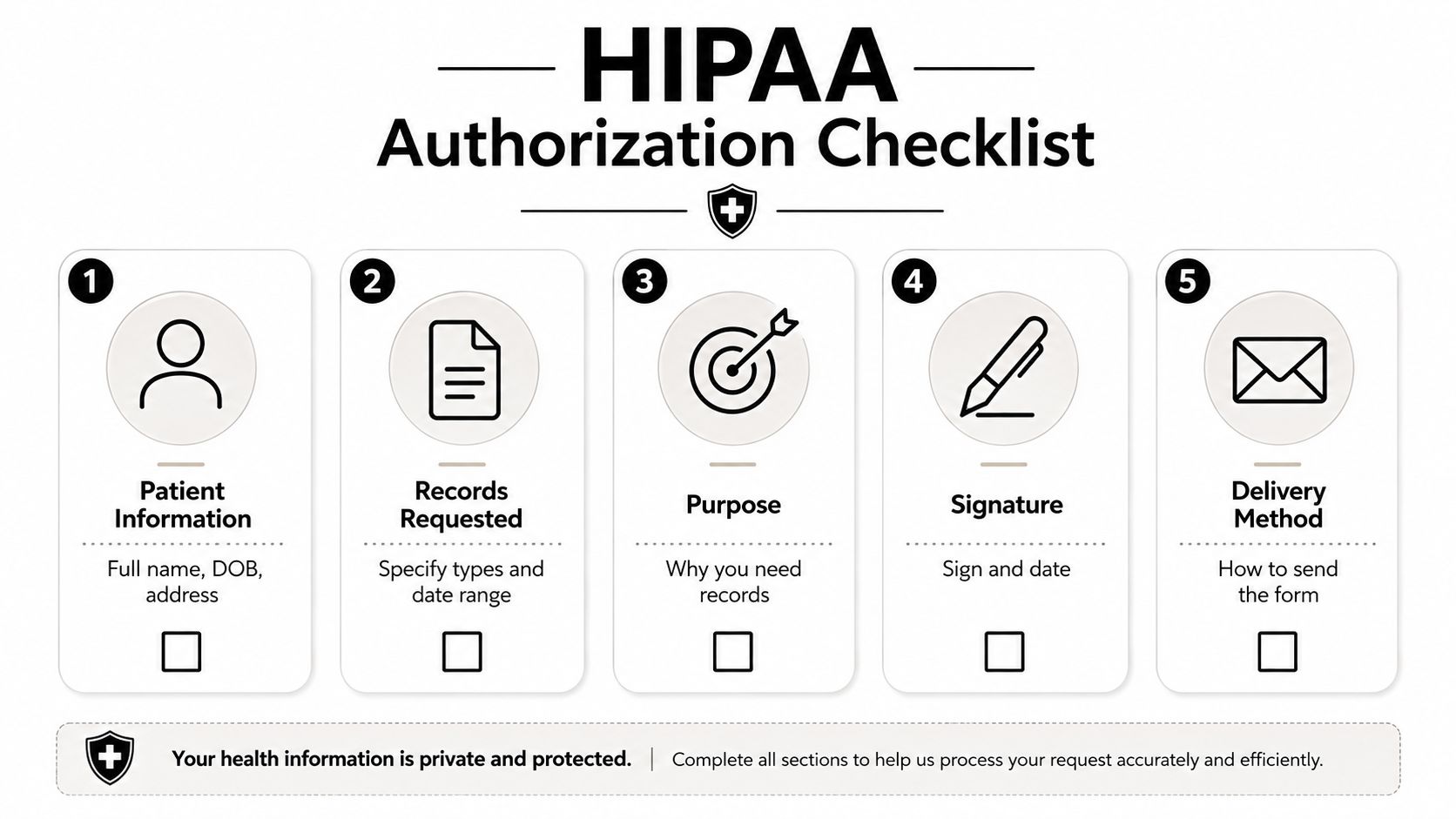
A lot of people lose time here because the form looks more complicated than it is. A valid request still comes down to the right who, what, where, why, and signature, and records teams reject vague forms because they cannot tell what to release. The cleanest requests are narrow and specific, which is why a good authorization matters.
The core pieces that have to be on the form
A proper authorization should identify the patient, the provider releasing the records, the person or entity receiving them, the exact information being disclosed, and an expiration date, along with the patient's signature. In practice, I tell clients to treat the form like a shipping label. If one piece is missing, the package gets held.
Use a description that a records clerk can process. “All records” sounds broad and convenient, but it often slows everything down. “ER records from May 3 to May 6, including imaging reports, discharge summary, and lab results” is far more useful.
A form also needs enough detail to survive real-world handoffs. If the office is dealing with treatment records, billing, and imaging separately, the request should point to the set you need instead of hoping someone sorts it out for you. That is the difference between a packet that moves and a packet that sits.
A good request versus a bad one
A weak form says “send my medical records to my lawyer.” That invites a follow-up call because the release team still has questions. A stronger version names the lawyer or firm, the patient, the treatment dates, and the specific record types needed.
Bottom line: specificity cuts rework. The more accurately you identify the record set, the less likely you are to get a partial packet or a return notice.
For anyone handling documents and patient data in a more formal workflow, Documind's guide to protected health information workflows is a useful reference point for thinking about what gets shared, who receives it, and how the handoff is documented.
What people forget most often
The common misses are simple. They forget to name the recipient, they leave out the date range, or they sign the form but do not date it. The expiration date also matters because providers want to know when the permission ends.
If the office has its own authorization form, use it. That reduces rejection risk because you are filling out the release in the format the provider already expects.
Formal Records Requests When the Portal Falls Short
The portal is only the first door. Specialist offices, imaging centers, physical therapy clinics, and smaller practices often run their own release process, and a clean request usually goes through Health Information Management or Release of Information instead of a general receptionist.
Match the provider's preferred format
Some offices want an online form. Others want a signed paper request by mail, fax, or in person. Federal guidance also points out that providers can process requests through their own workflow, so using the format they already expect is not a courtesy, it saves time and cuts down on avoidable back-and-forth (HealthIT step-by-step guidance).
When I help clients organize these requests, I keep the ask short and specific:
- Patient details: full name, date of birth, contact information.
- Record dates: exact treatment window, not “all care.”
- Record types: ER notes, imaging reports, operative notes, discharge summary, labs.
- Delivery preference: electronic copy if readily producible, then mail or fax if needed.
That structure works because records staff can process it without guessing. It also reduces the chance that you get a packet of billing pages when what you needed was the operative report.
Don't rely on one source for everything
If one provider sends incomplete records, send a separate request to the missing source. That is the part many people miss. A hospital will not always have the specialist note, and the orthopedic office will not have the ER imaging disk. Get the missing pieces provider by provider instead of waiting for one consolidated file to show up (Bridge Legal step-by-step guidance).
Follow up before the file goes stale
Set the request date in writing and put a follow-up on the calendar before the matter goes stale. If you wait until the deadline has already passed and only then call, you have less influence with the records team. A clean follow-up is often enough to move a request from pending to released.
Dealing With Delays, Denials, and Closed Practices
The hard files are the ones that look done on your side but still do not move. The office may be slow, the response may be partial, or the practice may have shut down. Each problem needs a different response, and the wrong one usually costs time.
Three failure points I see most often
The first is silence after the request sits past the access deadline. The second is a partial packet, where the office sends office notes but leaves out imaging, labs, or outside records. The third is the closed or merged practice, where the old phone number leads nowhere and nobody at the front desk can tell you who holds the archive.
That closed-practice problem gets missed in a lot of consumer guidance. An active portal or current office contact does not help when the provider has shut down. The AMA has a dedicated guide for records from closed practices, and that becomes useful when the normal route no longer exists.
A closed office does not mean a closed record. It usually means the custodian moved, changed names, or stored the file somewhere the old front desk can't see.
How to escalate when the file stalls
Start with a documented follow-up. Refer to the request date, confirm what was asked for, and ask whether the response is ready or whether any identification or authorization is missing. If the office says the records are incomplete, ask what segment is missing and where that segment lives.
If the practice is closed, look for the custodian notice, successor entity, or archived records contact. That is usually the fastest path back to the file. If the request still stalls after clear authorization and proper identification, the next move is often a formal complaint or legal escalation, not another vague phone call. In some cases, continued delay also raises spoliation concerns, which is why counsel may review what counts as spoliation of evidence before records go missing for good.
Why incomplete records matter in injury cases
In personal injury work, incomplete ER notes, imaging, and specialist records create avoidable friction. They slow treatment coordination, delay claim development, and give the other side room to argue that the injury picture is incomplete. In my experience, the file often looks “missing” only because the request did not reach every provider that touched the care timeline.
When a provider says the records are already on the way, that still may not solve the problem. A hospital may have the ER chart but not the specialist note. A clinic may send billing pages while the operative report sits elsewhere. A clean follow-up, aimed at the right custodian, usually gets you farther than a broad repeat request.
For disputes that turn into legal process, Ares on HIPAA compliance explains why records teams treat a subpoena differently from a routine patient request.
Subpoenas and Legal Escalation for Hard to Get Records
When voluntary access stops working, legal process takes over. If you have counsel, a subpoena often gets attention faster than another patient release because it carries court-backed authority, and Ares' overview of HIPAA compliance and subpoenas is a helpful place to understand why records teams treat legal process differently from a routine request.
What changes once litigation is involved
A patient authorization asks for cooperation. A subpoena demands compliance within the bounds of the court rules that apply. That difference matters when a provider has gone quiet, a third party holds the file, or the records are needed for a case deadline.
In Colorado, the practical point is simple, the court process can force movement where a normal release cannot. If a case is active, your lawyer can issue or respond to subpoenas, manage redactions, and coordinate with the other side on certified copies or objections. If you're self-represented, you'll need to follow the court's procedural rules closely, because the request mechanism changes once the file becomes evidence.
Where litigation holds fit
A litigation hold preserves records that might otherwise be lost, overwritten, or discarded. That matters when the provider has merged, closed, or changed systems. If the records could become relevant to a claim, counsel should put the custodian on notice early and keep the preservation trail clean.
For a deeper look at why preservation matters, see our guide on spoliation of evidence. If a provider, insurer, or custodian loses records after notice, that can turn into a separate problem from the original access request.
When to ask your attorney to step in
Ask for escalation when the file is tied to a filing deadline, when treatment documentation is incomplete, or when a third-party custodian won't answer ordinary requests. That's especially true in Colorado personal injury matters where records must be gathered fast enough to support treatment decisions, settlement talks, or deposition prep.
The goal isn't to threaten everyone. It's to use the least friction-heavy tool that works. Patient requests are good for routine access. Litigation tools are for the cases where routine access has stopped being enough.
Tips to Speed Up Retrieval and a Sample Authorization Template
The fastest file pulls usually come from small habits, not magic. Submit the request the same day you identify the provider, use the portal when it works, and call the ROI department after a short wait instead of assuming someone is processing it. Keep a simple tracking log with the provider name, request date, contact name, and what was asked for.
The habits that save the most time
A few moves consistently help:
- Request electronically when possible: if the record is readily producible in electronic form, ask for that first.
- Be narrow: exact provider, exact date range, exact record type.
- Track every contact: name, number, time, and response.
- Escalate the missing pieces: don't wait for one office to assemble a multi-provider record set.
- Organize as you go: a clean file makes it easier to spot gaps, especially when treatment spans several offices. Our internal guide on medical record organization can help you keep the packet usable once it arrives.
The same approach helps whether you're gathering your own records or coordinating with counsel. A clean list of what's missing prevents duplicate requests and keeps the file from becoming a pile of mixed summaries, bills, and duplicate pages.
Sample authorization template you can adapt
Use this as a working model and replace the bracketed text:
Patient name: [Full legal name]
Date of birth: [DOB]
Address and contact information: [Current address, phone, email]
Provider releasing records: [Clinic, hospital, imaging center, or other holder]
Recipient: [Attorney, law firm, insurer, another provider, or the patient]
Records requested: [ER notes, imaging reports, operative notes, discharge summary, lab results, treatment dates]
Date range: [From date] to [To date]
Purpose: [Treatment, claim evaluation, legal matter, personal review]
Expiration date: [Specific date or event]
Delivery method: [Email, portal, fax, mail, in person]
Signature and date: [Patient signature and date]
That format does two things well. It gives the records team enough information to find the file, and it reduces the odds of a return notice for missing details. If the office uses its own form, copy the same information into that form and keep a dated copy of what you sent.
If you're trying to gather records for a crash claim, treatment transfer, or a file that's already gone sideways, Nares Law Group LLC can help with the record requests, follow-up, and case coordination that keep a claim moving. Visit Nares Law Group LLC to connect with a Denver personal injury team that handles the documentation work as part of building the case.